What is Kodi (PVR IPTV Simple Client)?
Kodi is a free media player that runs on almost anything: Windows, Mac, Linux, Android, Firestick. With the built-in add-on PVR IPTV Simple Client you watch IPTV without an extra app — you just load your M3U playlist and EPG.
Step 1: Install Kodi
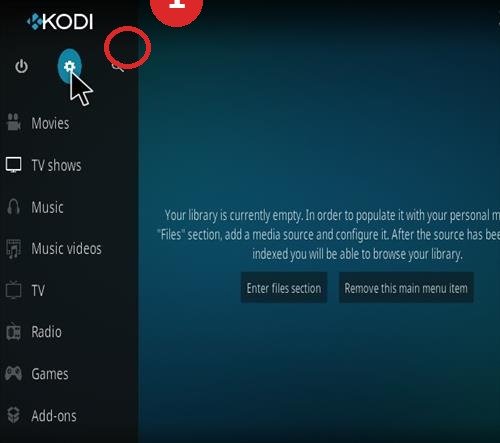
- Download Kodi from kodi.tv or via your device’s app store.
- Install and open Kodi.
Step 2: Activate PVR IPTV Simple Client
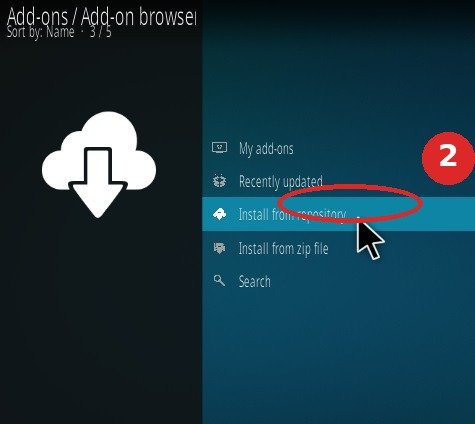
- Go to Settings → Add-ons.
- Choose “Install from repository” → PVR clients.
- Select PVR IPTV Simple Client and click Install.
- Then choose Enable.
Step 3: Set Up the M3U Playlist and EPG
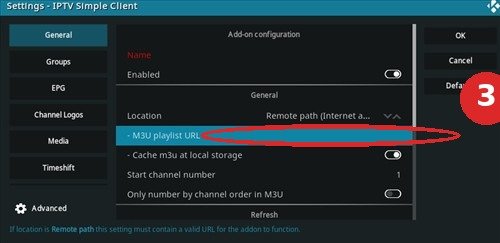
- Go to Settings → Add-ons → My add-ons → PVR clients → PVR IPTV Simple Client → Configure.
- Tab General: enter your playlist link under M3U Play List URL.
- Tab EPG: enter your XMLTV URL (TV guide). Using Xtream Codes? Ask your provider for the M3U and XMLTV link for your account.
- Click OK and restart Kodi.
Step 4: Watch
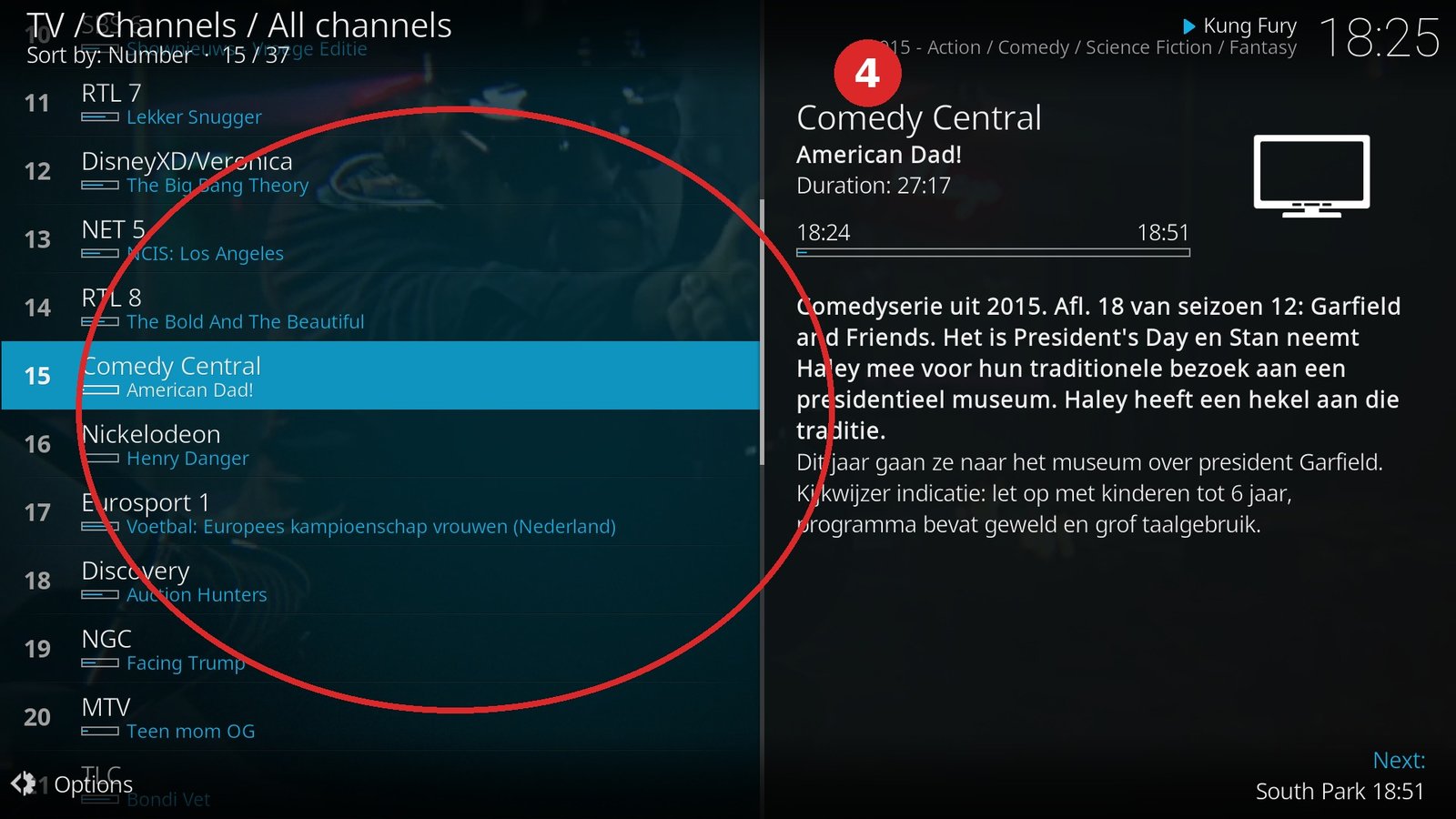
- In the main menu open TV → Channels.
- Your IPTV channels are now in there. 📺
Common Mistakes with Kodi
- No channels after restart: the M3U URL is wrong or expired — check the link.
- No TV guide: XMLTV URL missing or not saved; enter it in the EPG tab.
- Kodi freezes on TV: first clear the old playlist cache (Settings → PVR & Live TV → Clear database).
Frequently Asked Questions
Is Kodi legal and free?
Kodi itself is free open-source software. The IPTV content you load depends on your own subscription with your provider.
Does this also work with Xtream Codes?
Yes — but PVR IPTV Simple Client works with M3U/XMLTV URLs. Ask your provider for the M3U and EPG link that belongs to your account.
Stuck or not working? Ask your question via our contact page — we’ll help you quickly and free of charge. Or try Pro IPTV free for 24 hours.
Want to know more? the best IPTV app per device · which IPTV app looks most like Netflix · the complete IPTV installation guide
Test Pro IPTV 24 uur helemaal gratis
1️⃣ Installeer SmartOne IPTV op je tv/box · 2️⃣ Stuur je MAC-adres · 3️⃣ Wij doen de rest!
⚡ Stuur je MAC-adres via WhatsApp
Ready to watch? try it free for 24 hours