What is SmartOne IPTV?
SmartOne IPTV is the standard IPTV app on many modern Smart TVs, especially on TVs with VIDAA OS (Hisense). Instead of logging in with a username and password, here you work with a MAC address: you pass that address to your provider and they link your channels to it.
Step 1: Install SmartOne IPTV
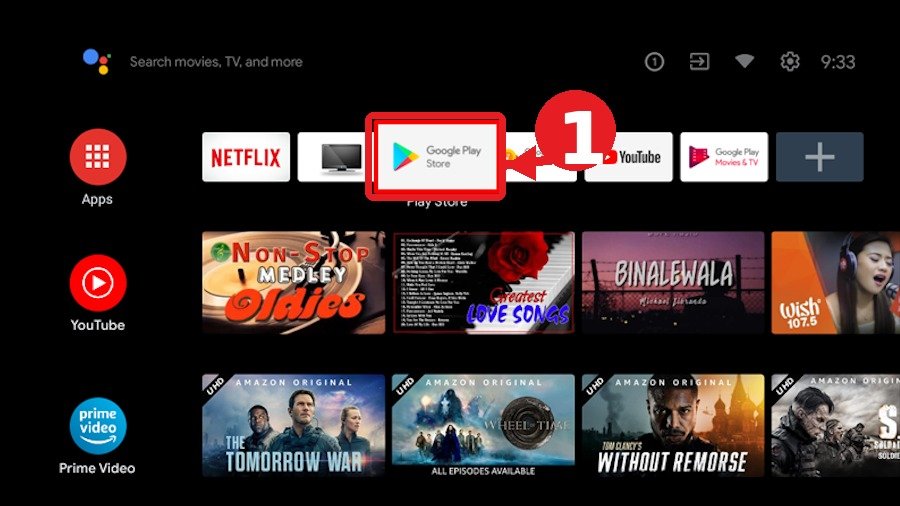
- Press the Home button on your remote.
- Open your TV’s app store (VIDAA Store / App Gallery).
- Search for “SmartOne IPTV” and install the app.
- Open the app — you immediately see your MAC address (e.g. 00:1A:2B:3C:4D:5E).
Step 2: Pass the MAC address to your provider
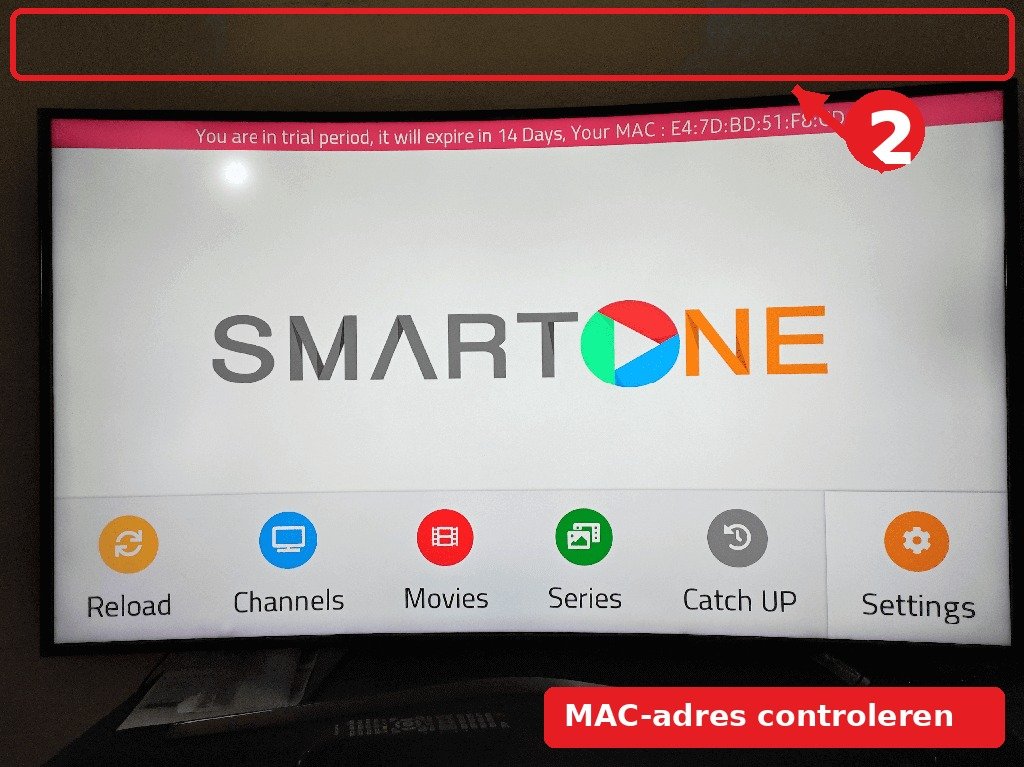
Send your provider a message with: “My SmartOne MAC address is 00:1A:2B:3C:4D:5E. Please link this to my subscription.” At Pro IPTV you do this via WhatsApp — your subscription is ready within minutes.
⚠️ Note: the MAC address is case-sensitive and contains colons. Copy it exactly as the app shows it.
Step 3: Restart the app and load channels
- Close SmartOne IPTV completely (or restart your TV).
- Open the app again — the list now shows your channels, movies and series.
- Done! You can start zapping right away. 📺
Common SmartOne mistakes
- Channels stay empty: the MAC address was passed on incorrectly or has an extra space. Check the address in the app again.
- App asks for a code: That is the device code, not the MAC address. Pass both to your provider.
- No app found in the store: Some older TVs do not have SmartOne. In that case use an alternative app (e.g. IBO Player).
- Everything empty again after restart: Ask your provider to link the MAC address again.
Frequently asked questions about SmartOne IPTV
Where do I find my MAC address in SmartOne?
Open the app; the MAC address is right on the home screen (under the ‘Activate’ button). It has the form XX:XX:XX:XX:XX:XX.
Does SmartOne work on Samsung or LG?
No — SmartOne runs on VIDAA OS (Hisense and a few other brands). On Samsung you use IBO Player or Smart IPTV.
Can I use SmartOne on multiple TVs?
Yes, each device has its own MAC address. Your provider can link multiple MAC addresses to one subscription.
Stuck or not working? Ask your question via our contact page — we help you quickly and free of charge. Or try Pro IPTV free for 24 hours.
Want to know more? the best IPTV app per device · which IPTV app looks most like Netflix · the complete IPTV setup guide
Test Pro IPTV 24 uur helemaal gratis
1️⃣ Installeer SmartOne IPTV op je tv/box · 2️⃣ Stuur je MAC-adres · 3️⃣ Wij doen de rest!
⚡ Stuur je MAC-adres via WhatsAppReady to watch? try it free for 24 hours