
What is Net IPTV?
Net IPTV is an IPTV player for Smart TVs (e.g. Samsung and LG) that works with playlist activation. You install the app, provide your MAC address, then upload your playlist (M3U link or Xtream Codes login) via the activation page and start watching.
Step 1: Install Net IPTV
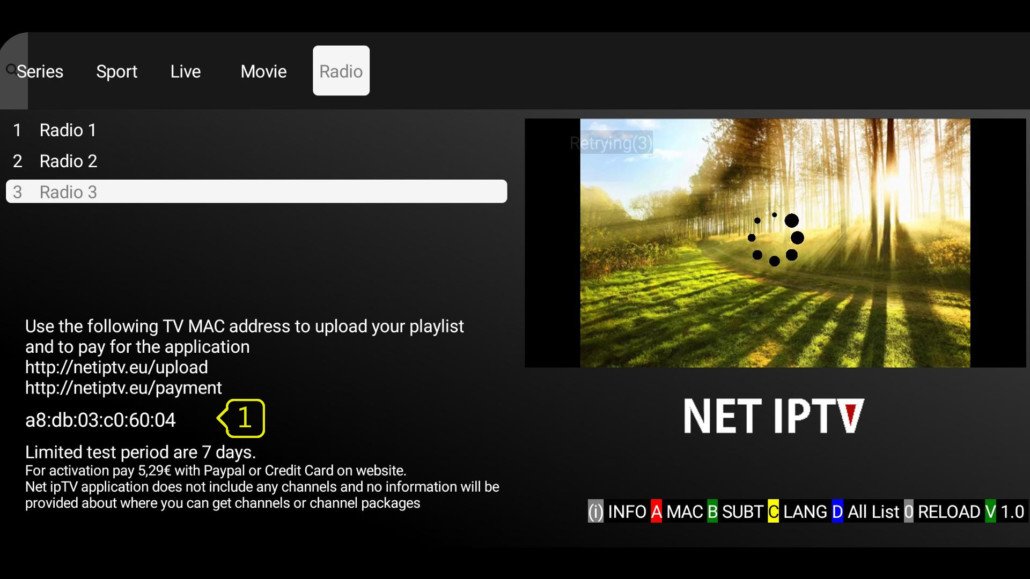
- Open your Smart TV’s app store (Samsung Apps or LG Content Store).
- Search for “Net IPTV” and install the app.
- Open the app — write down your MAC address (e.g. 00:1A:2B:3C:4D:5E).
Step 2: Upload your playlist
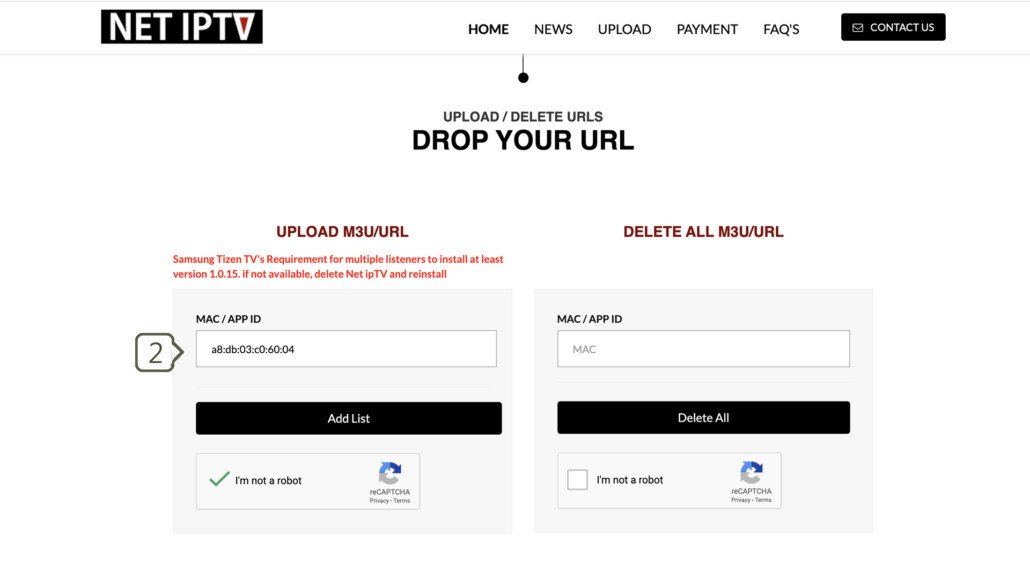
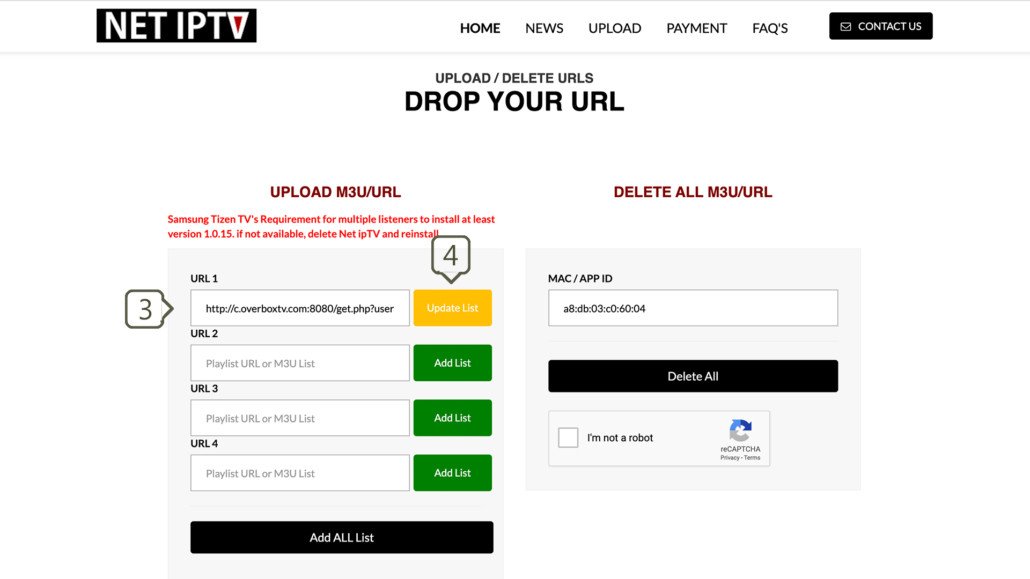
Net IPTV has no login screen — you load your playlist via the app’s upload portal:
- Open the Net IPTV activation website on your phone or PC (it’s indicated in the app itself).
- Enter your MAC address.
- Add your M3U playlist URL or your Xtream Codes details (you receive these from your IPTV provider).
- Upload and wait for the confirmation.
⚠️ Note: the MAC address must be exactly right — include the colons and capital letters.
Step 3: Restart and watch
- Close Net IPTV completely (or restart your TV).
- Open the app again — your channels, movies and series now appear in the list.
- Done! 📺
Common mistakes with Net IPTV
- Playlist won’t load: check that your M3U URL or Xtream details were copied exactly (no spaces).
- App asks for an activation code: an activation code is different from your MAC address — provide both to your provider.
- Everything empty after restart: the upload didn’t arrive properly; repeat step 2.
Frequently asked questions
Does Net IPTV work on every Smart TV?
Net IPTV runs on most Samsung (Tizen) and LG (webOS) TVs from recent years. Older models sometimes can’t find the app in the store — in that case use an alternative like Smart IPTV or SmartOne.
Can I use Xtream Codes?
Yes — when uploading your playlist you choose between an M3U URL and Xtream Codes (username + password + server URL).
What does Net IPTV cost?
The app often has a trial period; afterwards the maker asks a small activation fee per device. Your IPTV subscription simply continues.
Stuck or not working? Ask your question via our contact page — we’ll help you quickly and free of charge. Or try Pro IPTV free for 24 hours.
Want to know more? the best IPTV app per device · which IPTV app looks most like Netflix · the complete IPTV installation guide
Test Pro IPTV 24 uur helemaal gratis
1️⃣ Installeer SmartOne IPTV op je tv/box · 2️⃣ Stuur je MAC-adres · 3️⃣ Wij doen de rest!
⚡ Stuur je MAC-adres via WhatsApp
Ready to watch? ready to watch? start your free 24-hour trial